In the current scenario, millions of people are highly interested in watching their favorite videos whenever they want. Also, they are listening to their favorite music that whenever they get free time. It is very normal that people are looking forward to experiencing some entertainment after their stressful work. To get relief from that, you can find various ways across the internet. Well, this is what most of the people would like to experience through their SmartPhones or PC’s or laptops. Generally, we all know that the videos can be watched through various video streaming online platforms.
Yes, whenever you are looking for video streaming online platforms, people are always choosing a platform like YouTube. It is the platform where you can get to witness thousands of videos which are available to watch under different genres. Also, it is said to be the leading video streaming platforms where you can make use of it when it comes to watching your favorite videos. With this amazing platform, you can even watch the videos from low to high quality that whenever you want. But the sad thing about YouTube is it doesn’t allow you to download the videos directly to your PC or gallery. In this situation, YouTubNow will be the saviour.
How to download YouTube videos?

As we mentioned earlier, it will not be going to allow downloading the videos directly to your gallery. But still, you can watch it offline with the support of download option available on YouTube. Yes, it is possible to watch offline but you can save it to the gallery. However, to make this thing possible and smoother, you can find various applications such as YouTubNow and websites which are available for you to download the YouTube videos directly to devices. Also, you can find the option to convert the videos into MP3 format as well. At the end of the day, it is all up to your choice in terms of choosing the right format.
How can we convert YouTube videos to MP3?

Like we said earlier, in order to convert YouTube videos into Mp3 format, you can find an option of Youtube converter in some of the applications. But the thing is not all the apps will offer you the better result for sure. In case, if you are the one who is looking forward to experiencing the good result with the support of better source, then you are in the right platform where you can get to know more about the conversion of YouTube videos into MP3 that whenever you want.
In order to convert the YouTube videos into Mp3 format, you can visit www.youtubnow.com as per wish for getting the better quality Mp3 files. By using this amazing YouTube online converter, you can easily download any videos from YouTube without any hassles. When it comes to the downloading process, it takes only a few seconds. Also, you can choose any format as per wish and start to download process.
Features of YouTubNow
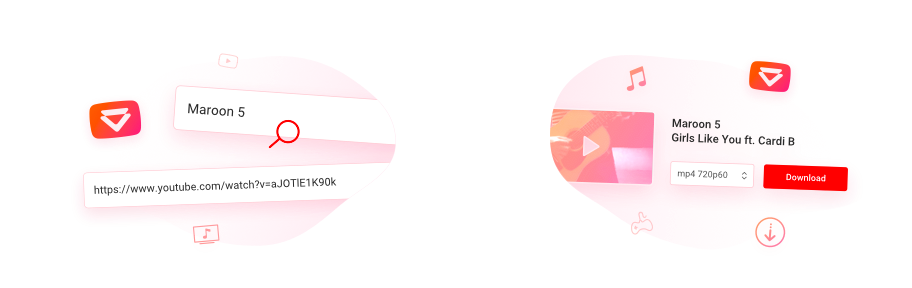
- Once started using it, you can find the option to choose the different formats
- You don’t need to pay a single penny when it comes to download and convert it
- It takes only a few seconds for downloading process
- It doesn’t require any sign-up process
- You can handle through any cross-browser platforms without a hassle
Steps to download and convert
So, people who all are struggling to find the way in order to convert the YouTube videos into Mp3 format, they can follow the below-mentioned steps that whenever required. Once you started following the steps, it will be simple for you to convert the videos into Mp3 format. If you are looking for High-Quality audio format, then it is also possible for you to download that whenever you want without finding any difficulties.
- First of all, you need to search for the YouTube video URL that you are looking to download and convert into Mp3 format.
- Once you searched for respective video, and then make sure to copy the URL of the video and paste it into the search box after entering youtubnow.
- Now, click the button download to get the video and convert to Mp3 format.
- It requires very few seconds to wait until the downloading process of a video is over.
- Finally, the mp3 format file of particular video has been downloaded and saved to your gallery.
- Now, you can listen and experience better sound quality.
Wrapping up
Generally, people are struggling to find a way in order to get the video into Mp3 format. Also, we mentioned that very few sources will satisfy you to its maximum. Well, among those sources, YouTubNow is the platform where you can make use of it that whenever you want. At the same time, you don’t need to be worried about it. Yes, it doesn’t have any restrictions to experience when you are using it.
Leave a Reply