Are you looking for the best free photo editor for Android to make basic image editing or color correction, apply a watermark, create a banner/logo for your website or social network? Then this overview of the top 10 free photo editing apps for Android may become useful.
-
Table of Contents
Adobe Photoshop Express
Price: FREE
Alternatives: Lightroom CC, PicMonkey
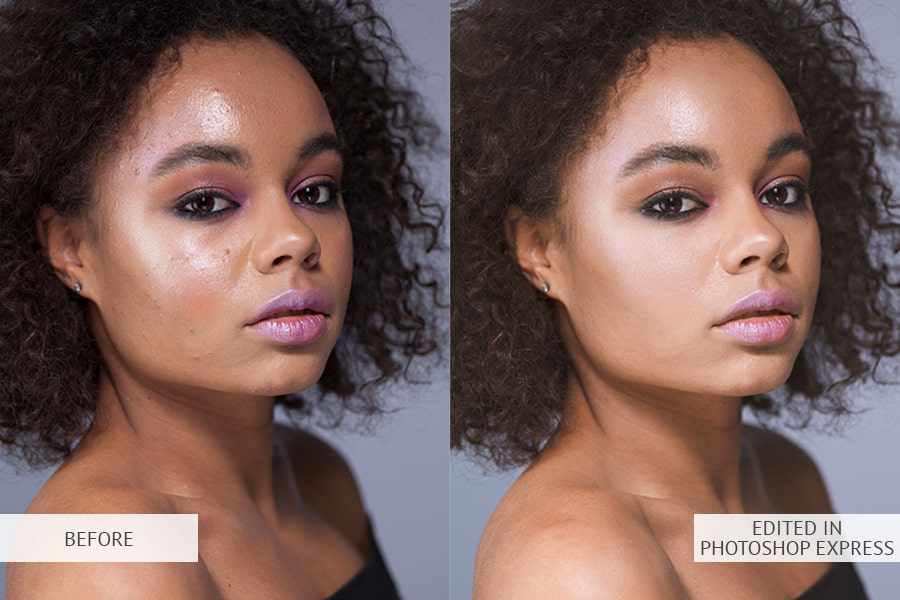
Adobe Photoshop Express is a mobile app developed for fast photo editing. The picture editor has Creative Cloud and Cloud storage. In comparison with Photoshop CC, its interface and tools have been greatly redesigned and simplified.
Photoshop Express supports RAW files and can perform basic image post-production and color correction. The text tool deserves special attention. More than 100 different fonts and additional settings are available. With their help, you may add text or watermark to any of your photos or Instagram stories, create a banner or logo.
As for the drawbacks, the app doesn’t support batch photo editing. It starts freezing up when you use some tools, which makes you to restart it.
-
Lightroom CC
Price: FREE
Alternatives: Adobe Photoshop Express, Bonfire Photo Editor Pro
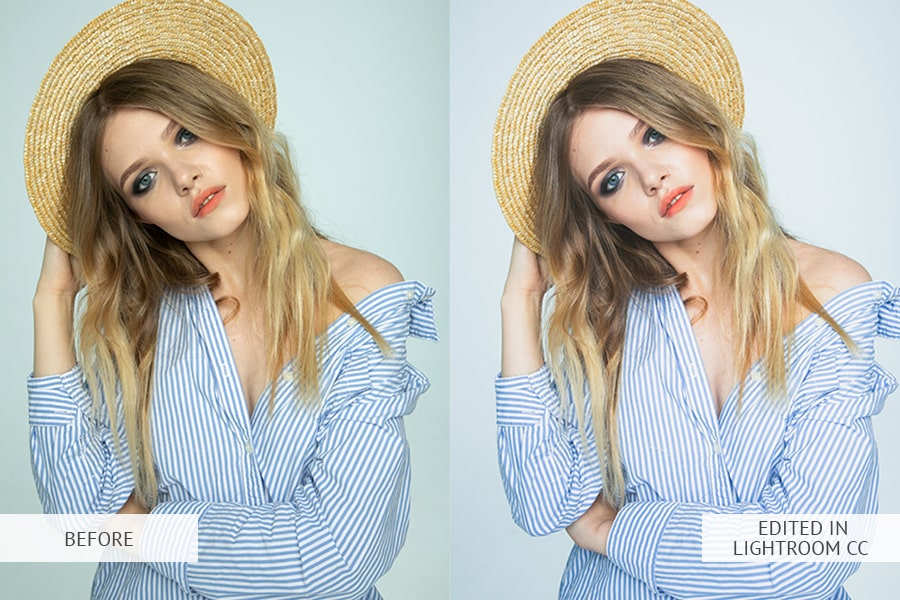
Lightroom CC is another completely free mobile app developed by Adobe. This free photo editor for Android has a fairly simple interface and intuitive color correction tools. There are dozens of different filters and effects that will help you make your photos pop in several clicks.
Matte, high contrast, pastel, film, cinematic, intense, matte, black and white effects can be easily achieved even on your smartphone. Besides, you will find many Lightroom tools for color correction, including curves and HSL, adding text and using presets. It’s also worth mentioning that Lightroom CC supports RAW files, but doesn’t allow to perform batch image editing.
-
Bonfire Photo Editor Pro

Price: FREE
Alternatives: Adobe Photoshop Express, Lightroom CC
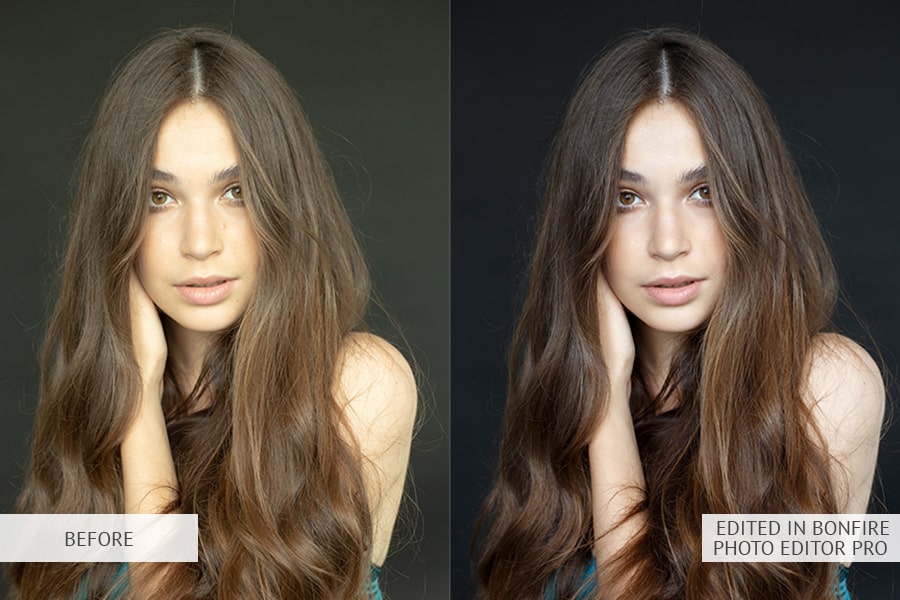
This app has a very impressive set of filters and effects for color correction: matte, black and white, cream, contrasting and more. It has a simple interface. You just need to upload your photo and immediately start customizing it with different filters.
Thanks to the decent optimization of OpenGL 3.0, it is called the best free photo editing app for Android. The application allows you to apply any of the available filters very quickly, even if you are working with RAW photos taken on your DSLR.
The downside is that the app can display an image no more than 4096×4096, otherwise, the picture editor will modify the size automatically or ask you to make changes. The application is more focused on photos for Instagram and Facebook, as it includes a set of features for face enhancement.
-
PicsArt Photo Studio

Price: FREE
Alternatives: Canva, PicMonkey
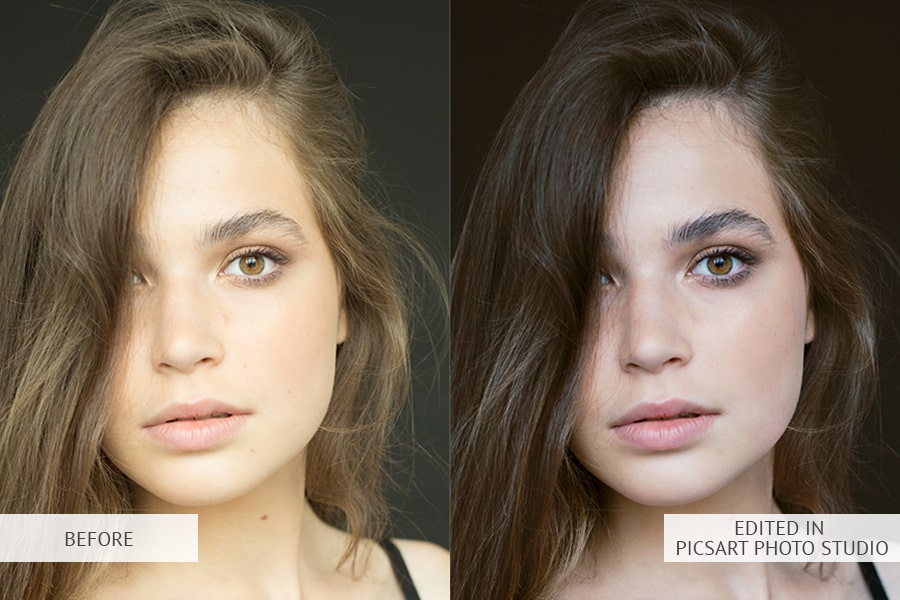
PicsArt is an application for light picture editing, collage making and digital drawing. This free Android photo editor allows users to make and edit images, use layers, and share their pictures in the PicsArt community and other social networks like Facebook and Instagram.
You would surely appreciate the huge number of options for adjusting images as cropping, curves, exposure, shadows, saturation, grain, healing brushes, HSL and more.
-
Fotor
Price: FREE
Alternative: Photoshop Express
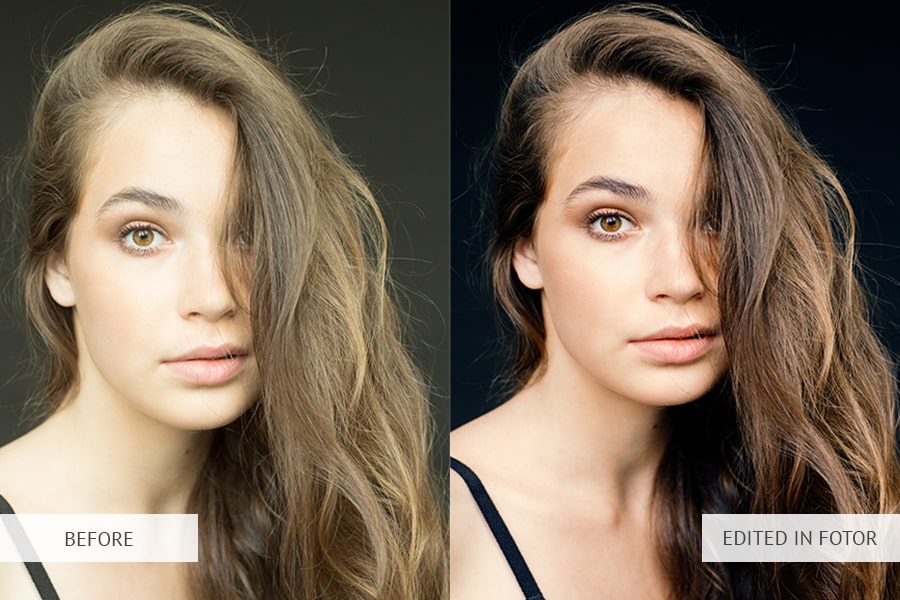
Plenty of amazing features and picture enhancement tools are among the main characteristics of Fotor, which is truly the best free online photo editor. In addition, you may select and apply various filters and effects. The application offers over 10 functions for adjusting contrast, brightness and exposure and other important parameters connected with colors.
In case you often create collages, you will be pleased with a great selection of collage layouts that are easily customizable. The only drawback of the application is that it might disturb you with ads.
-
PhotoDirector
Price: FREE
Alternatives: Photoshop Express, Lightroom CC, Fotor
PhotoDirector is a free, kind of full-featured mobile picture editing app. The image editor impresses users with a stylish and user-friendly interface. You may quickly adjust the colors and tones of your shots with simple but powerful tools: curves of three colors, various sliders and effects.
Being one of the best free photo editors for Android, it features a built-in camera, so you can apply live image effects when taking photos. Moreover, you may edit images and quickly share them on social networks. As for the disadvantages, it is worth mentioning that PhotoDirector doesn’t support RAW files.
-
Snapseed
Price: FREE
Alternatives: Photoshop Express, Lightroom CC
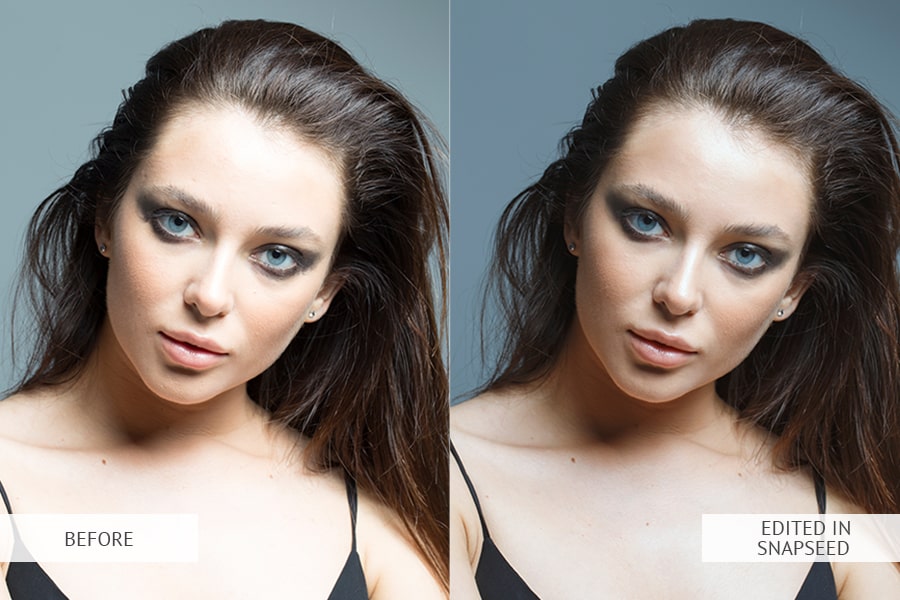
Snapseed belongs to the list of the best photo editing apps for Android. It is developed by Google and is praised for a variety of features. The app catches the eye with its user-friendly interface, just tap the screen and open any file you like. Snapseed comes with many different filters and effects: bright, contrasting, grainy, cream, black and white, etc.
There are 29 kinds of tools available for basic picture post-processing and color correction: cropping, distortion correction, artificial darkening (halo), exposure shadows and saturation adjustment, grain, curves, healing brushes and more. Snapseed supports RAW files but doesn’t have a batch image edit function. After making changes, you may share photos on social networks, save to your device or send to Google Cloud storage.
-
BeFunky
Price: FREE
Alternatives: PhotoDirector, Fotor
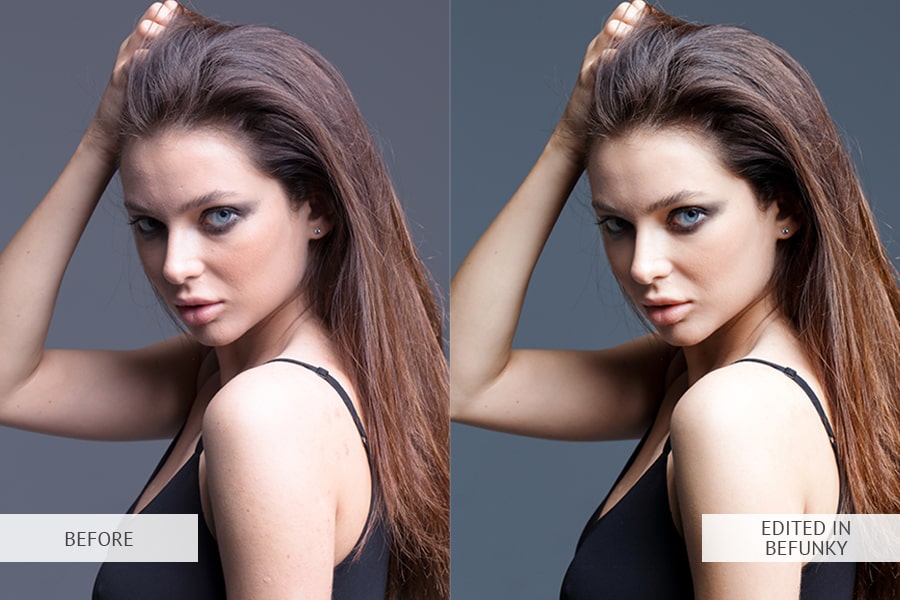
In addition to the usual set of features such as resizing, correcting contrast and brightness, with this free app, you may apply filters and effects. The app is often called the best free Android photo editor because of a stunning set of ready-made stickers, graphic templates, which, by the way, are constantly updated.
The app can’t but please with its selection of fonts, ready-made designs and stickers. The picture editor is compatible with many well-known social networks as Facebook and Instagram. As a result, you may publish your images using the program interface. Probably, the best photo editor for Insta stories.
-
Pixlr
Price: FREE
Alternative: Photoshop Express
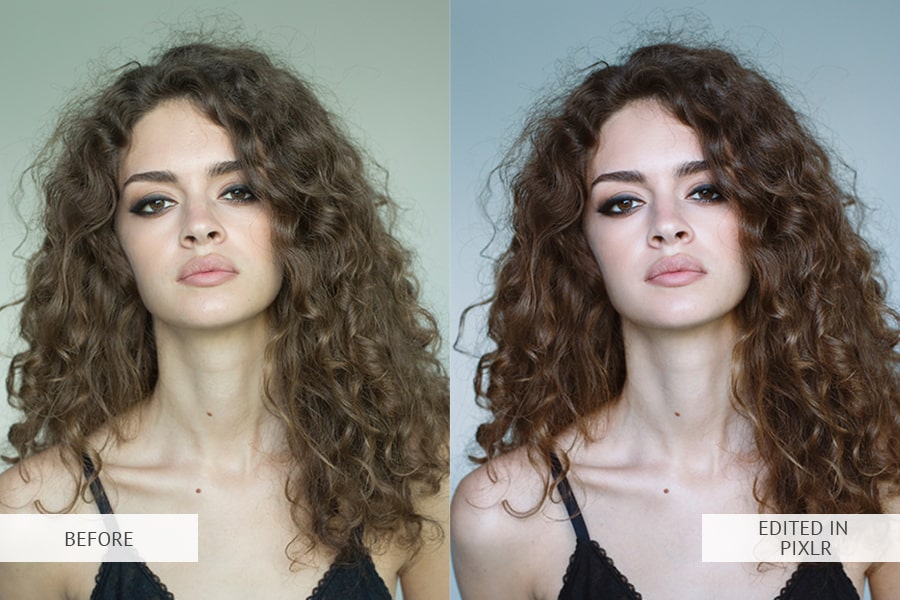
Pixlr offers many basic features for photo editing: resizing, applying filters, effects, it has different sliders to adjust exposure, contrast, shadows, healing brush, text, etc. The settings may be used for quick image enhancement (auto-tuning) and for more in-depth image editing (manual).
If we talk about functionality, it is something between Fotor and Photoshop Express. Also, it’s worth mentioning that Pixlr supports working with RAW files.
-
Photo Lab
Price: FREE
Alternative: Snapseed, BeFunky
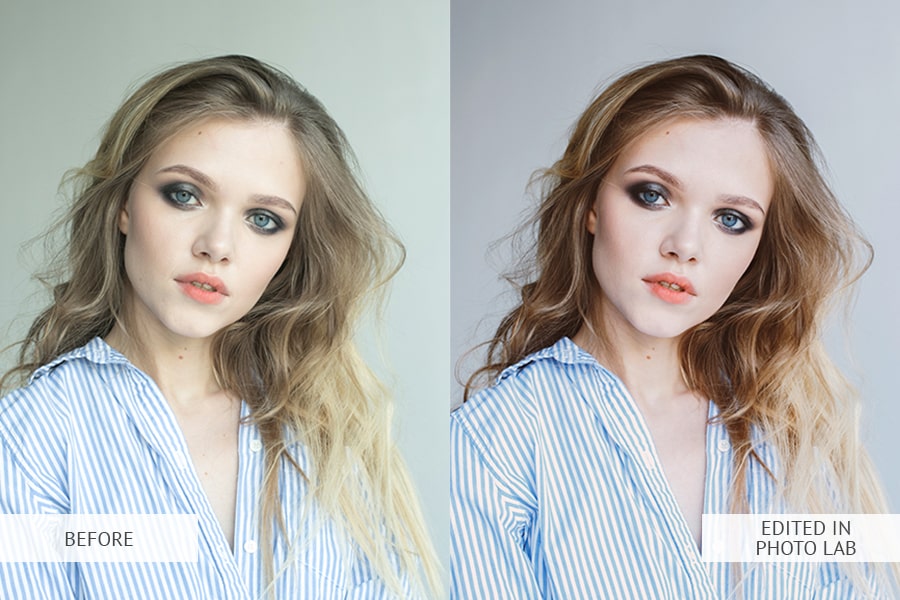
Mastering this picture editing app won’t be a problem thanks to its user-friendly and easy-to-use interface. Everything you need for basic image edit is available in this free photo editor: light correction, cropping, sharpness adjusting, rotating, etc. Besides, the final picture may be saved to the gallery, sent in a message or shared on various social networks, for instance, Instagram or Facebook.
Unfortunately, the app features annoying ads. One more downside is that while using a free version, a watermark will appear on all uploaded shots.
Leave a Reply