Download MIUI 9 Launcher: Recently, Xiaomi has launched MIUI 9 in China. It created a boom all over the world. MIUI 8 will be dead in upcoming days. This time, MIUI 9 brings some amazingly cool features. You must try the 3 extra ordinary features of MIUI 9. But the problem of MIUI 9 is that it will take a very long time for MIUI 9 to be available on every Xiaomi phone. And also MIUI 9 will not be available for other Non-Xiaomi Android phones. In this case, you can download this MIUI 9 Launcher APK on your Android phone.
As of now, MIUI 9 Launcher is the only launcher which can give you the look and feel of Official MIUI 9. The best of MIUI 9 Launcher APK is that no root access is required.
The User Interface of MIUI 9 launcher is very simple and minimalistic. You will not face any bugs with this launcher.
Official MIUI 9 Launcher
Let me clearly say that, it is not official MIUI 9 Launcher. This is the basic Launcher created by one the developers to give you look and feel of MIUI 9.
Also Check: How to install MIUI 9 on any Xiaomi Phone
The official MIUI 9 Launcher is a smart launcher. Here the word SMART refers to the artificial intelligence involved in MIUI 9 Smart Launcher. It reads all your conversation. And depending on the situation, it will give you app suggestions. For example, if you are discussing a place to visit, it will give you suggestions to open the maps for navigation.
As soon the official MIUI 9 Launcher is made available for every Android Phone, I will make a tutorial on it. So stay subscribed to this blog.
Download MIUI 9 Launcher APK on your Android Phone
- Installing MIUI 9 Launcher is very easy now with the help of MIUI 9 Launcher APK.
- As you are installing the APK file, you need to enable the unknown sources. To enable the unknown sources, go to Settings<Security<Switch on the unknown sources.
- Navigate to the downloads section of this page. And download the MIUI 9 APK file.
- Once the download of MIUI 9 APK is completed, install the launcher.
- Set MIUI 9 Launcher as the default launcher.
- Congratulations for downloading and installing MIUI 9 Launcher on your Android Phone.
Also Check: MIUI 9 for Redmi Note 4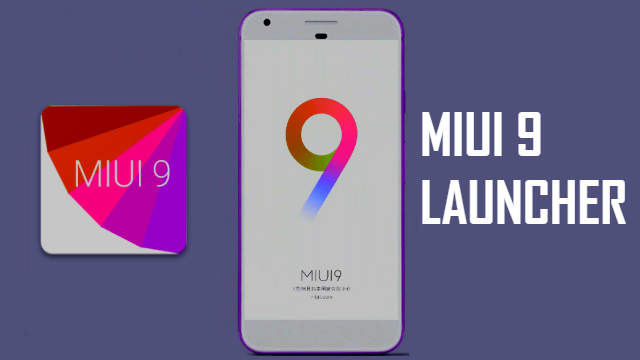
Features of MIUI 9 Launcher
- Look and feel of MIUI 9
- Enable/Disable Search Bar on the home screen.
- Rounded Icon Packs from MIUI 9
- MIUI 9 Folders.
- MIUI 9 Transitions
- Hidden App Drawer(To open the app drawer, at the bottom side click at the center of the screen).
- Widgets on the home screen(Long press the home screen and select widgets).
- Lock the desktop. Long press on home screen and go to Settings<Desktop. Enable lock desktop. This prevents any changes to the home screen.
- Change desktop grid.
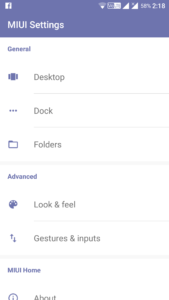
- Change the scrolling effects.
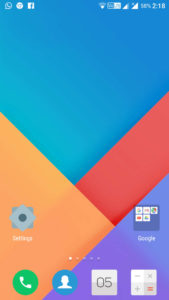
- MIUI 9 Wallpaper
Also Check: Android 9 Pie Wallpapers

Downloads:
Also Check: WhatsApp Conference Call Feature and Greenify Donation APK
Final Verdict:
This was a simple method to download MIUI 9 launcher latest version on Android. I hope this article was useful to you. If you have any doubts or issues then let me know in the comments below. You can also ping me on Facebook or Twitter and I am social. Also, subscribe to this blog and keep visiting blog for latest tweaks on Gadgets and Technology.
Leave a Reply