MIUI 9 is the latest version of MIUI. And MIUI 9 ROM is successfully launched in China. MIUI 9 comes with lots of extra ordinary features. The key features include Smart Launcher, Smart Assistant and Image Search. You can get all of these features on your Xiaomi Phone. Follow this guide of how to download MIUI 9 ROM on Xiaomi Phone and flash MIUI 9 ROM on your Xiaomi Phone. It can be Redmi Note 4, Redmi Note 3, Redmi 3S/Prime, MI 6, MI 5, MI 4, Mi Max/2, etc.
Also See: Android Oreo for MI3/MI4
Also Check: MIUI 9 Latest Stock Wallpapers
Table of Contents
Video Tutorial
Pre-Requisites:
There are no special requirements to download and flash MIUI 9 ROM on your Xiaomi Phone. If you have a Xiaomi Phone then go ahead and install it.
Also Check: Virtual Numbers for Android
Download MIUI 9 ROM on Xiaomi Device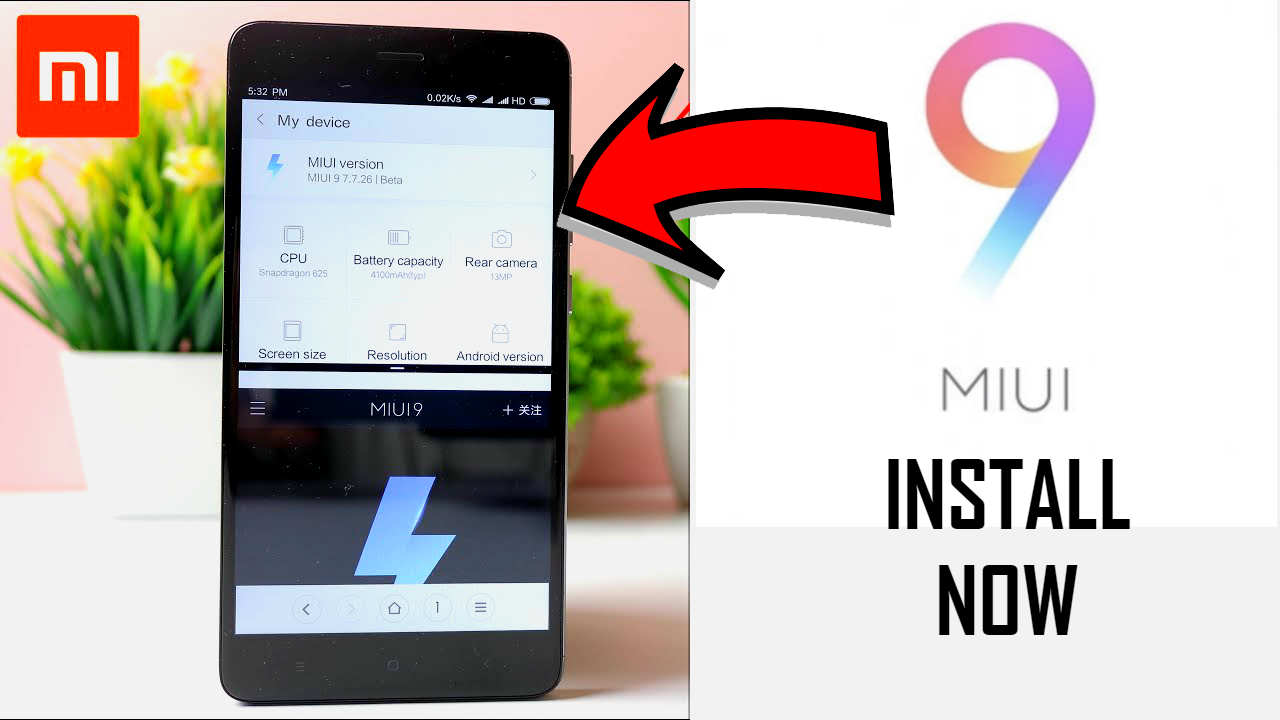
Download MIUI 9 Via OTA
- If you are selected as a MIUI Beta tester, then login to your Xiaomi Phone with the same google account.
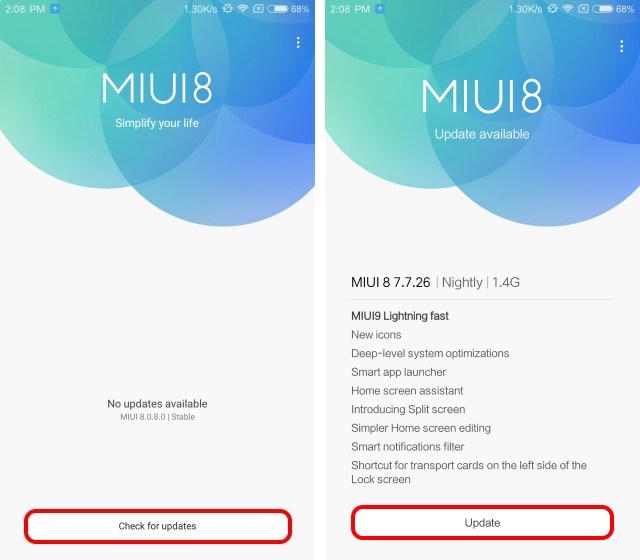
Also Check: Lineage OS 15(Android Oreo) for Redmi Note 4 - Open the updater app and click on “Check for Updates”. It will show you MIUI 9 Lightning Fast. Hit on update and it will start updating your Xiaomi Phone to MIUI 9.
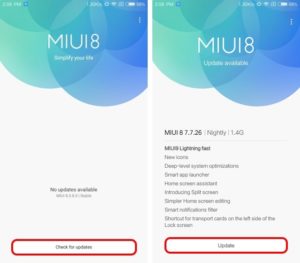
- You need to have patience now. It will take some time and ask you to restart your device. After the reboot, you will see MIUI 9 is updated on your Xiaomi Phone.
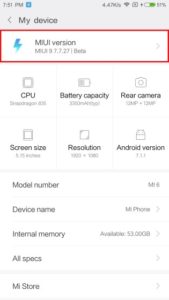
Download MIUI 9 ROM on Xiaomi Phone Manually
Few people face issues to Install MIUI 9 ROM through the updater app. This guide will surely help you to “flash MIUI 9 ROM on your Xiaomi Phone“.
Also Check: TWRP for MIUI 9
- Very first step is to go to the downloads section and install MI Flash Tool. It is a very important tool. It will help to flash any MIUI ROM on your Xiaomi Phone.
- Turn off your Xiaomi Phone. Press Volume Down+Power Button, simultaneously for few seconds. It will take your Xiaomi Phone into the fast boot mode.

- Connect your Xiaomi Phone to the computer.
- Again navigate to the downloads section and download the ADB files. Download it, extract and run it. It will install all the ADB drivers. This helps the computer to recognize your Xiaomi Phone in fast boot mode.
Also Check: How to get Android O Virtual Box on Desktop - Now download the MIUI 9 ROM for your device from the downloads section. Download the ZIP file and extract it.
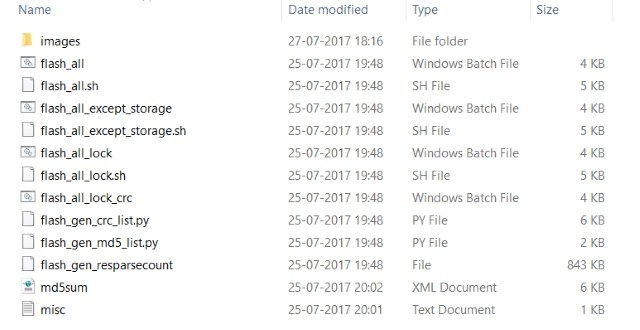
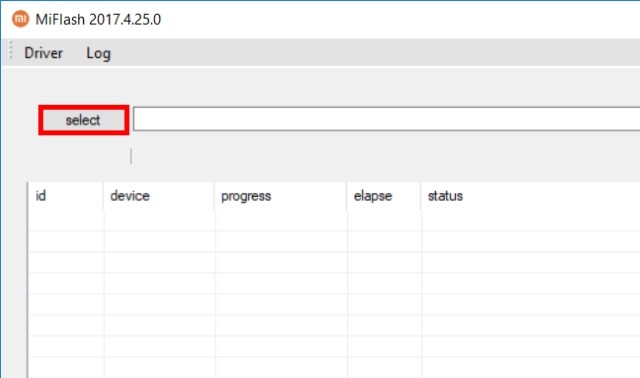
- Open the MI Flash Tool and click on “Select“. Now find the download and extracted folder. Select “images“
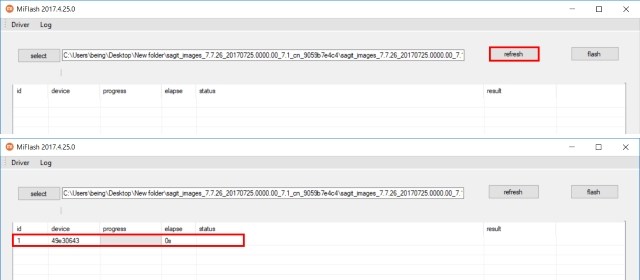
- Hit on “refresh” button and it will show your Xiaomi Phone which is connected. It will not show the phone if you do not install the ADB drivers. So remember to install the ADB drivers on your Xiaomi Phone.
- Hit on Flash and it starts installing MIUI 9 ROM on your Xiaomi Phone.
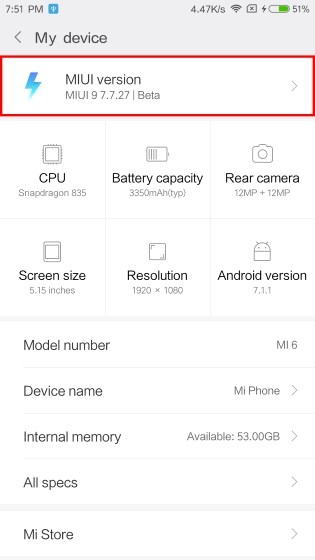
Also See: Official MIUI 9 GIF Wallpaper - Restart your phone and enjoy MIUI 9 ROM on your Xiaomi Device.

Also Check: Android O Oreo for Redmi Note 3
Downloads
ADB Drivers
MIUI 9 ROM (For All Xiaomi Phones)
MIUI 9 ROM (For Redmi Note 4)
MIUI 9 ROM (For Redmi Note 3)
Also Check: WhatsApp Conference Call Feature
Eligible devices to Install MIUI 9
Redmi Note 4, Redmi Note 3, Redmi 4, Redmi 4A, Redmi 4X, Redmi 3X, Redmi 3, Redmi 3S, Redmi 2A, Redmi 2, Redmi 1S, Mi Pad 2, Mi Note, Mi Note 2, Mi Max, Mi Max 2, Mi 2, Mi 2s, Mi 3, Mi 4c, Mi 4, Mi 4s, Mi 5s, Mi 5c, Mi 5s Plus, M6.
Also Check: Flash MIUI 9 ROM on Redmi Note 4 with TWRP
Final Verdict
I provided you the most simple guide on How to download/install MIUI 9 ROM on Xiaomi Phones. This method is working on every Xiaomi Phone. Go ahead and install MIUI 9 ROM. Let me know your opinion on MIUI 9 in the comments below. If you face any difficulty to update MIUI 9 ROM on Xiaomi Phone then let me know. I will surely help you.
Source: Beebom
Leave a Reply