Android O is the latest update from Google which will hit Android phones by the month of August/September. As of now, the developer preview of Android O is available for Google Pixel and Nexus Phones. Android O brings lots of new features and one of the most amazing features is the Notification Dots of Android O. Whenever you receive any notification on any particular application then you will see a dot on that particular app. These notification dots are better than the notification badges of IOS. Today in this article, I will show a very simple trick which helps you to enable the Android O Notification Dots on any Android phone present on earth.
Enable Android O Notification Dots On Any Android Phone
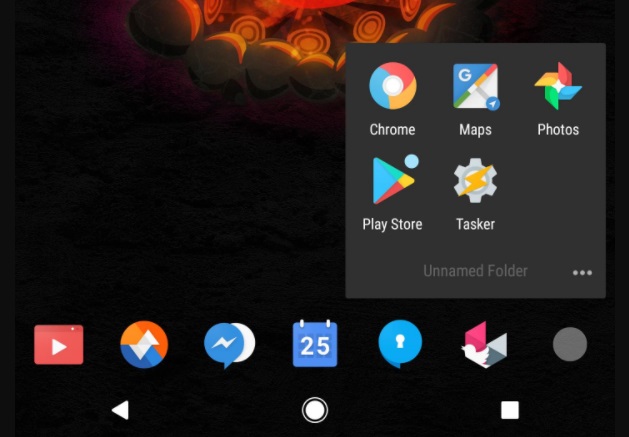
Step1: Install Nova Launcher Prime
Nova Launcher is the best launcher among all the third party launchers present in the play store. Nova launcher has a huge community of developers and they update the nova launcher settings to the latest version of Android. To access the Android o features like Android O dot notifications, you need to download the paid version of the app called Nova Launcher Prime which costs Rs.150($5) in play store.
Step2: Enroll For Beta Tester Of Nova Launcher
The Android O feature of Android O notification dots is still in beta phase. You need to become a beta tester to enable Notification dots of Android O. To install the beta version of Nova Launcher, go to this page and log in with your Google account and hit become a tester.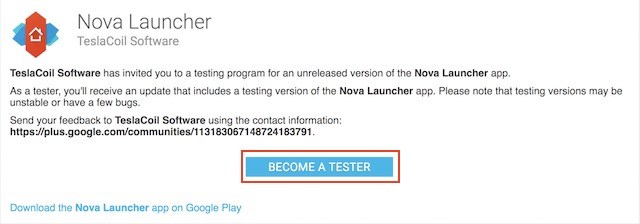
Within 5 minutes, you will see an update option in the play store. Update the Nova Launcher and you will get a beta version of Nova Launcher.
If you don’t wish to go through the long process then simply download the beta version of App(Apk file) from here.
Step3: How To Enable Android O Notification Dots
To enable the Android O Notification Dots, make Nova launcher as your default launcher. Long press the home screen and navigate to the Nova Settings. In Nova settings, scroll down and you will see notification badges, click on that. Now click on Dots and you are done. 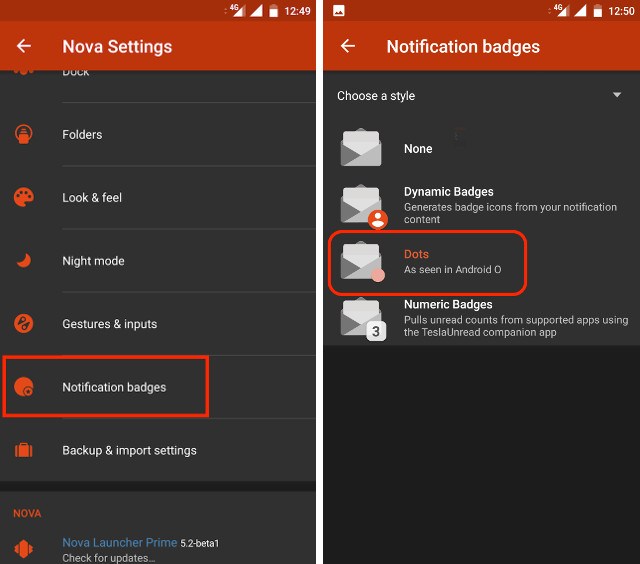
You can set customize the dots according to your liking.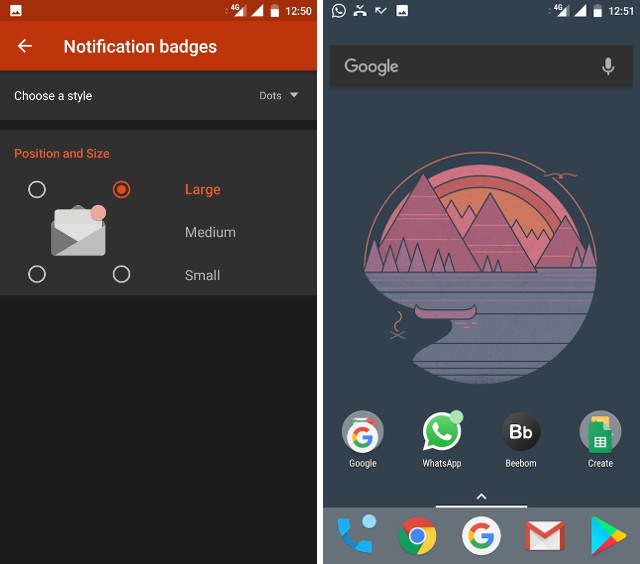
Now, whenever your receive any notification in any particular app then you will see notification dot on that particular app.
Also Look: Enable Dark Mode On Any Android
Video Tutorial:
Also Check: WhatsApp Conference Call Feature
Final Verdict:
If you follow the above mentioned simple steps then you can definitely enable the Android O Notification Dots on your android phone. I have already made many tutorials on Getting Android O Features, Getting Android O Bootanimation, Getting Android O Navigation Bar on any android phone and lot more.
If you want more tutorials on Android O then subscribe to this blog and keep coming back, I promise to bring lots of tips and tricks on Android O.
If you want to thank me and appreciate my work then simply share this post among friendly neighborhood because sharing is caring 🙂
Source: Beebom
Leave a Reply