Download Official MIUI9 Themes on your Xiaomi: MIUI 9 comes with lots of new cool features and customizations. Some of the new features include Image Search, Virtual Assistant, Virtual Launcher, New Wallpapers and New Themes.
Also See: Android Oreo for MI3/MI4
Official MIUI 9 themes are amazing and free to download. If you have any Xiaomi Phone then it is very easy to get official MIUI 9 themes on a Xiaomi Phone.
The best part of MIUI 9 themes is that “No Root Access is required”. Follow the simple guide on how to download & install Official MIUI 9 Themes on any Xiaomi Phone.
Also Check: Lineage OS 15(Android Oreo) for Redmi Note 4
Download Official MIUI 9 Themes
There are plenty of themes that comes with MIUI 9. And the three cool new themes are Limitless, Fantasy and Cool Black. These themes are amazing with the cool user interface.
Also See: Official MIUI 9 GIF Wallpaper

- The first step is to go to the downloads section of this page and download MIUI 9 Themes ZIP file.
Also Check: Android O Oreo for Redmi Note 3 - After the download is completed, open the file manager. Move to the downloads folder and click on the ZIP file, it will ask you to extract and just extract it.
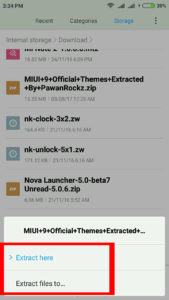
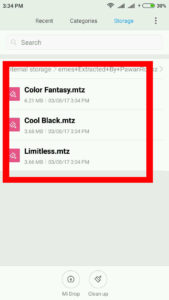
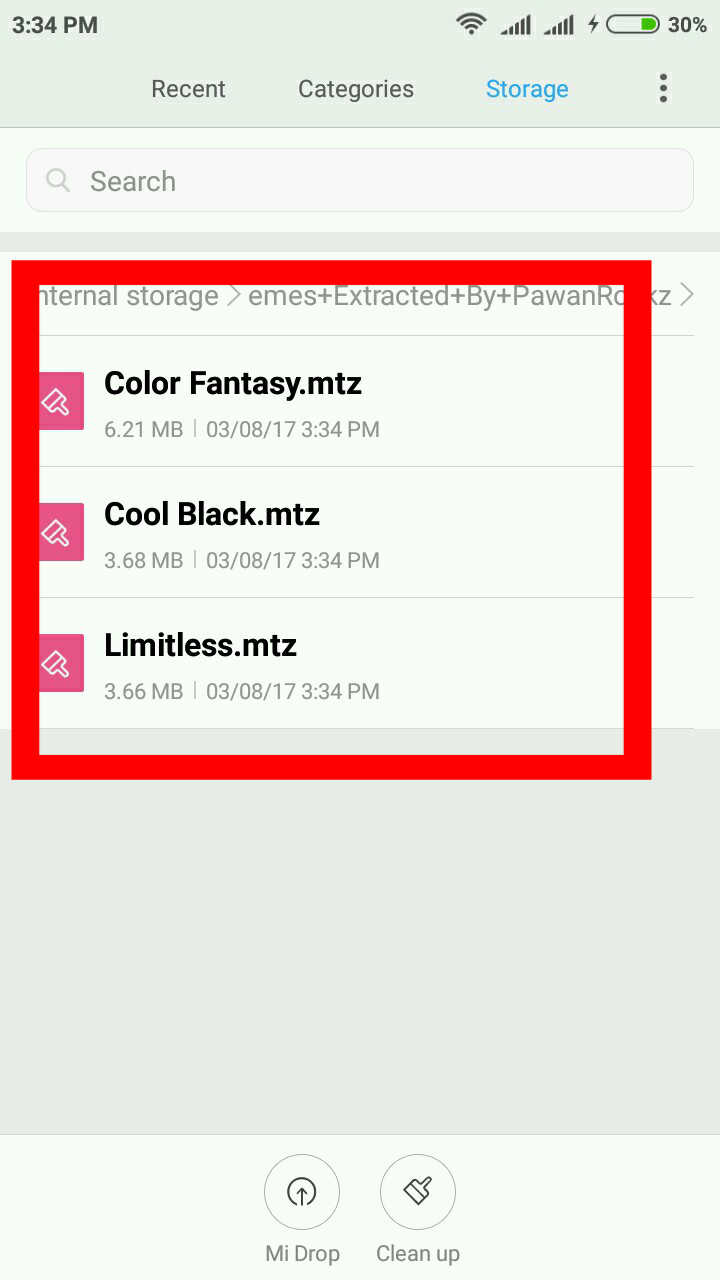
- After you successfully extract it, you will find three 3 themes in the extracted folder. The 3 themes are Cool Black, Limitless and Cool Black.
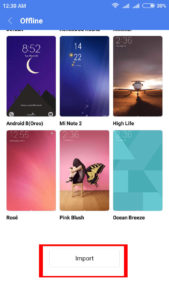
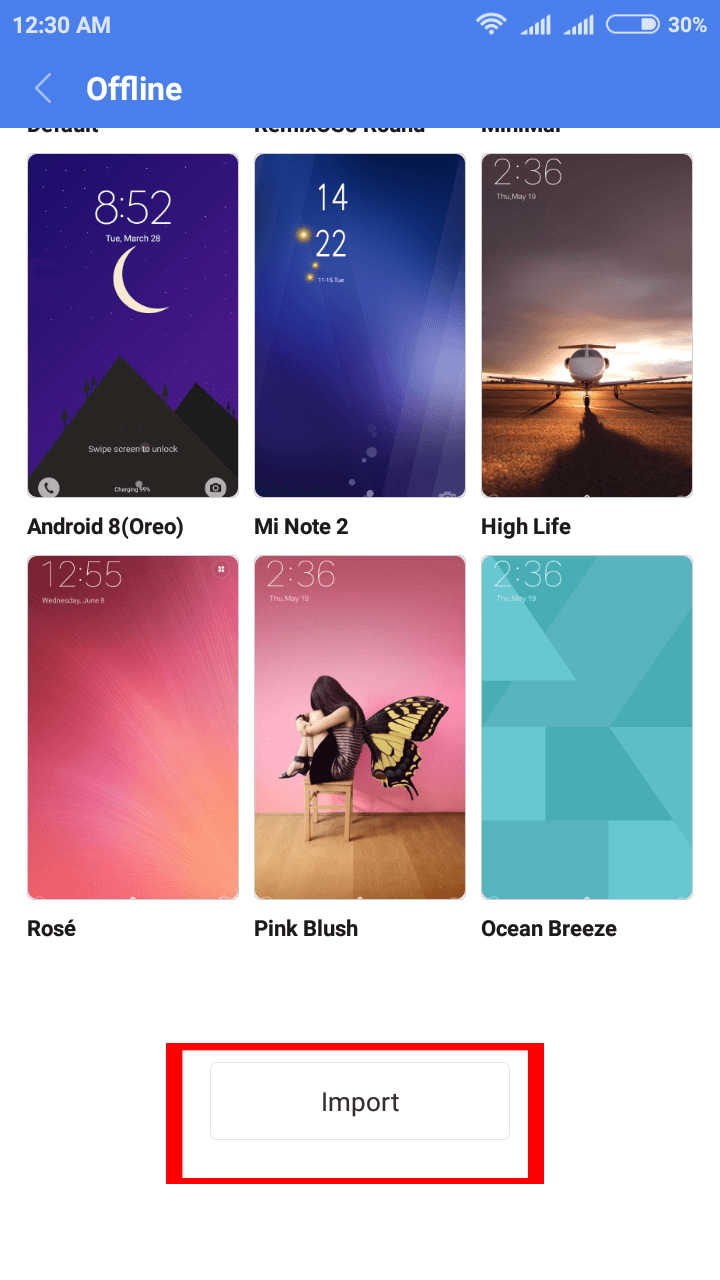
- Now open the theme manager on your Xiaomi Phone. In the theme manager, click on “offline” and then select “import” at the bottom.
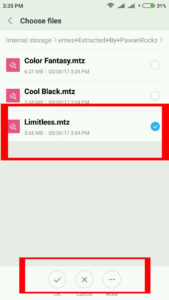
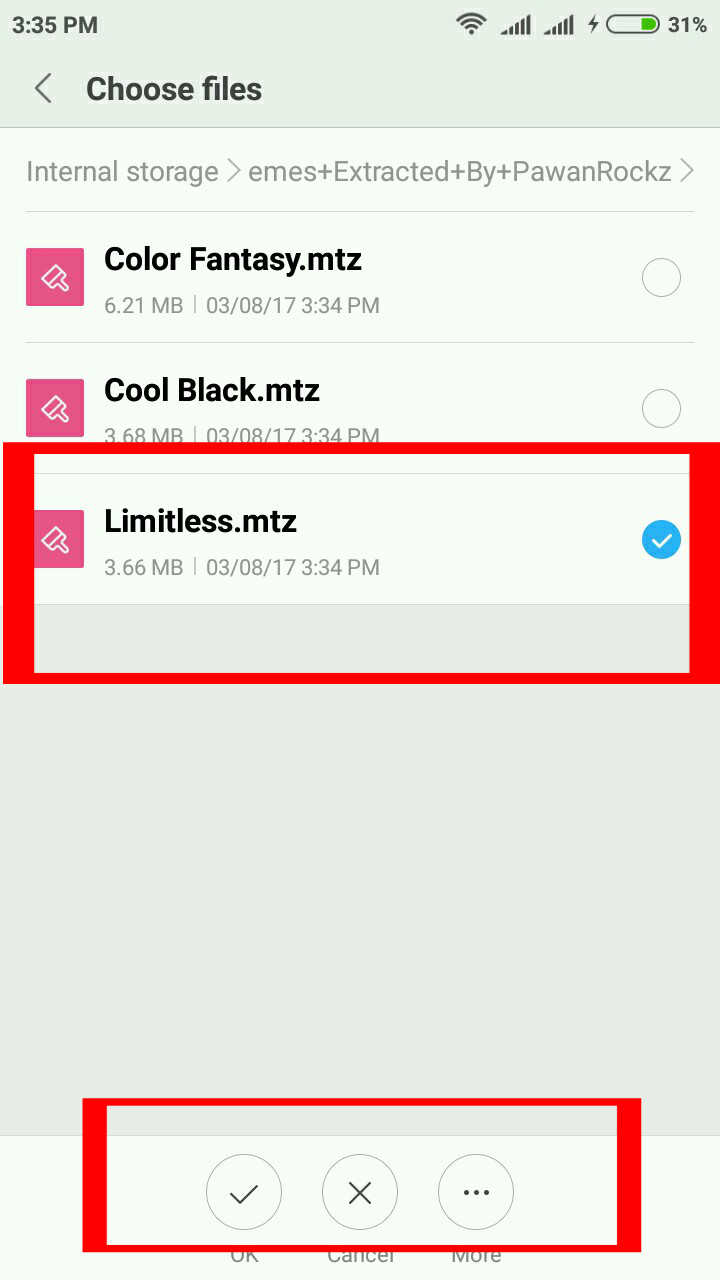
- Navigate to the extracted folder and select the theme and hit on “OK”.
- Now you have successfully imported the Official MIUI 9 themes on your Android Phone.
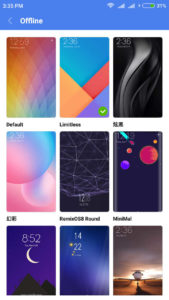
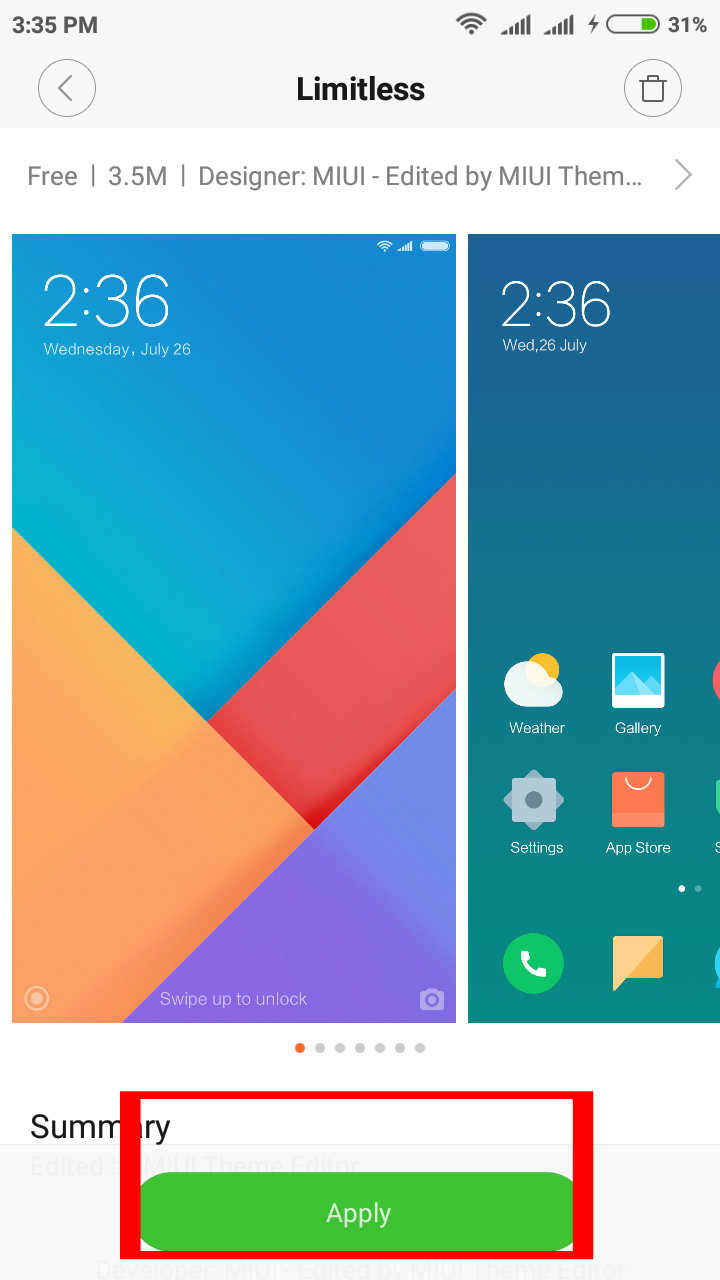
- Select any of the three themes and hit apply.
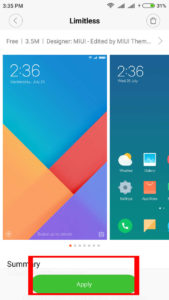
- Within few seconds, you will see MIUI 9 User Interface on your Xiaomi Phone.
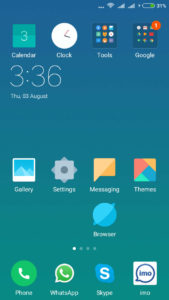
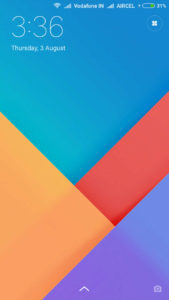
- Congratulations for installing Official MIUI 9 themes on your Xiaomi Phone.



Also Check: Virtual Phone Experience
Video Tutorial:
Also See: How to hide apps on Android
Downloads:
Also Check: WhatsApp Conference Call Feature
Final Verdict
I hope you liked this guide on how to download and install official MIUI 9 themes on Xiaomi Phone. If you face any issue to “Get MIUI 9 theme on Xiaomi” then let me know in the comments section. I will surely fix your issue.
Subscribe to our blog to receive the latest tips & tricks on technology.
Leave a Reply